
Name-Based Case Searches
The county site labels its tool “Case Search.” But the link opens an Icon Case Management login rather than a public results screen. The form offers a User ID prefilled with VIEW. There is also a password field, a Remember User Name box, and a Log In button. Nothing confirms that the prefilled word grants anonymous entry. Public name fields, match rules, court filters, and date filters are simply not part of the login screen. Anyone hoping to search by name in Troup County should expect to clear that gate first.
- Identify the court from the notice, citation, filing, or prior order. Do not start with a city portal for a Superior Court case.
- Open the official clerk's Case Search route. If authorized credentials or clerk instructions are required, do not guess a password or promise guest access.
- When a name field is available, enter the legal surname and given name as shown in the court record. Use a middle name or filing date only to separate similar results.
- Open the match that agrees with the court and case number, then verify key entries with the clerk before relying on them.
The only search controls on display are login controls. This table separates what the page presents from fields that remain unknown.
| Field Label | Type | Required | Notes |
|---|---|---|---|
| User ID | Text | Unknown | Prefilled VIEW; public use was not confirmed. |
| User Password | Password | Unknown | Blank submission produced an invalid-credentials notice. |
| Remember User Name | Checkbox | No | A convenience control, not a case-search field. |
| Party name or case number | Not observed | Unknown | No public query page was reached. |
Troup Case Search Login Gate
The clerk's site links to a Troup Case Search route. But the Icon page behind it demands credentials. Blank credentials get you “Invalid Username or Password.” That message marks an access gap, not a sealed docket. It also settles nothing about public result columns, partial-name matching, pagination, filing-date ranges, download links, or refresh speed.
If the gate persists, call Jackie W. Taylor's Clerk of Superior and State Courts at 706-883-1740. Ask whether public credentials, a counter search, or another official route now apply. The clerk directory also lists separate civil and criminal extensions. For older files, ask whether the case is indexed electronically. Also ask whether a paper, microfilm, or archive search is required.
Access gap: A login screen says only that the anonymous route was not reached. It does not establish the case's status, disposition, or confidentiality.
Case Number Searches
A case number is the strongest tool for a Troup County docket search. Copy it exactly as it prints on the summons, citation, pleading, or any clerk correspondence. Keep every letter, digit, dash, and leading zero in place. Troup County publishes no official case-number grammar. So treat no sample pattern, such as year-court-sequence, as the local rule.
The safest example is the literal placeholder EXACT NUMBER FROM NOTICE. Some portals reject punctuation. If that happens, ask the clerk whether the system wants dashes or spaces stripped out. A number lifted from a municipal citation may belong to LaGrange, West Point, or Hogansville rather than to the combined Superior and State clerk. So never guess a court prefix from a court calendar view.
When you ask the clerk for help, pair the number with the court, the filing year if known, and the party's role. Do not send sensitive identifiers the clerk did not request.
PeachCourt for Troup Cases
The Georgia Courts E-Access directory lists Troup Superior and State Courts with PeachCourt. Treat the directory as a provider list rather than a unified statewide results page. It notes that provider access requires an account. Choosing Troup points you to a service for filing and court-document access, which is separate from the county's own Icon case-management link.
The PeachCourt account page presents email, password, Log In, Forgot password, and Register controls. No public Troup name-search field appears before you sign in. The page sets no per-document price for local requests.
View the official PeachCourt page to see the account sign-in requirements the service itself publishes.

Registration may open the door to documents. Still, no account converts a sealed, juvenile, or restricted filing into a public record.
Case Search Results Explained
A full docket usually carries a header. It also holds party and attorney information, a chronological register, settings, and an area for judgment or final order. Treat those as fields to verify. They are not a promise of what the anonymous Troup display will show. Certified orders, clerk confirmation, and the court record itself always outrank a third-party summary. Verify against the source that counts.
| Case Number | The exact court-assigned identifier used to match a notice, calendar entry, and copy request. |
|---|---|
| Style / Parties | The formal caption, such as plaintiff and defendant or petitioner and respondent, when public. |
| Case Type | The court's category for the matter; exact local labels were not observed in a result grid. |
| Filed Date | The date the case or filing entered the clerk's record, if the system exposes it. |
| Status | A current system label if published; it must be read with the chronological docket and later orders. |
The chronological register can list filings, service, motions, orders, hearings, continuances, resets, judgment, and the final outcome. A setting proves only that an event was scheduled. In the same way, a missing document image does not make the filing confidential.
Troup Docket Search or Calendar
Use a case search when you want to trace one file. Use a calendar when you want a scheduled session. Troup's calendar pages post monthly, civil, Superior criminal, State criminal, and Coweta Circuit PDFs. Once downloaded, a PDF may be searchable by case number or party name. That works only if the text is embedded. The clerk warns, though, that calendar content can change.
| Question | Best Starting Point | Required Check |
|---|---|---|
| What has been filed? | Case Search, PeachCourt, or clerk | Compare the chronological docket and requested document. |
| When is the hearing? | Troup County court schedule | Check later local orders and call the clerk. |
| What was the outcome? | Current docket, judgment, or order | Do not infer disposition from an old setting. |
| Is the copy official? | Responsible court clerk | Request certification when an authenticated copy is needed. |
Two Ways to Search: County and State
Georgia offers no single free search that combines every county, court level, and municipal docket. The state's E-Access page sends users to providers instead. Troup's local clerk link and PeachCourt therefore play different roles, while Probate, Magistrate, Juvenile, and the city courts may still need a direct call. Plan on more than one stop.
| Georgia Provider Directory | Troup County Routes |
|---|---|
| Lists participating courts and the named provider. | Local Case Search, calendar PDFs, clerk phone and counter. |
| Points Troup Superior and State to PeachCourt. | Splits lower-court records among their own offices. |
| Requires provider selection and often an account. | Best when the court and local case are already known. |
Magistrate Court publishes 706-883-1695 plus civil and criminal email paths, yet it offers no public Magistrate docket search online. Probate lists 706-883-1690. Juvenile lists 706-883-1735 and keeps tight access limits. Route a city citation to the city printed on the ticket.
Federal Cases Outside Troup Search
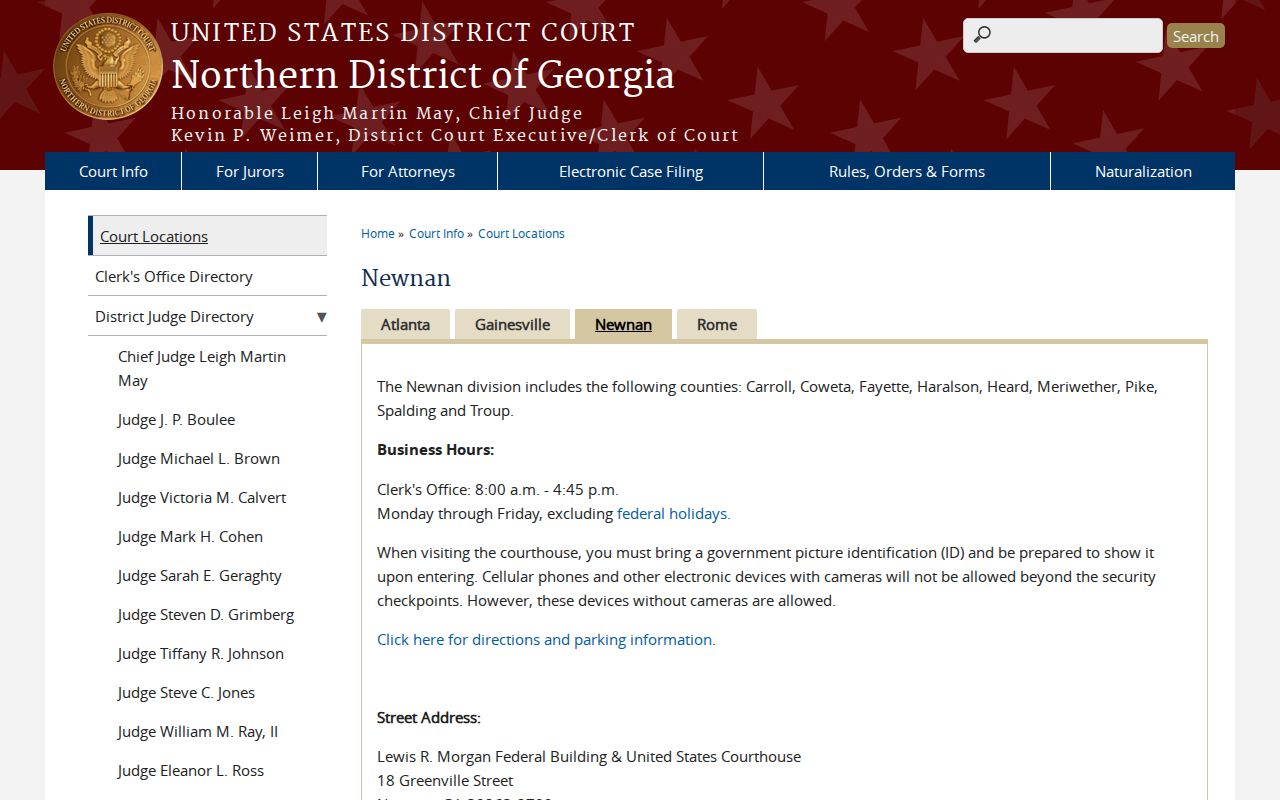
Federal matters for Troup County go to federal court. They sit in the Newnan Division of the U.S. District Court for the Northern District of Georgia, so the county clerk's Case Search will not show them. Use the PACER Case Locator to find cases across the federal system, then turn to PACER or CM/ECF for the federal docket itself.
Need the building details? The official Newnan courthouse page shows the courthouse, the clerk's hours, and the photo-identification rule. It also covers security guidance and names the division that covers Troup.
A Troup County calendar can never confirm a federal hearing. Check the federal docket directly. Rely on notices from that court. On cost, the PACER official pricing page sets the general rate at $0.10 per page. Many documents carry a $3 cap. Fees are waived when quarterly usage stays at $30 or less, subject to stated exceptions.
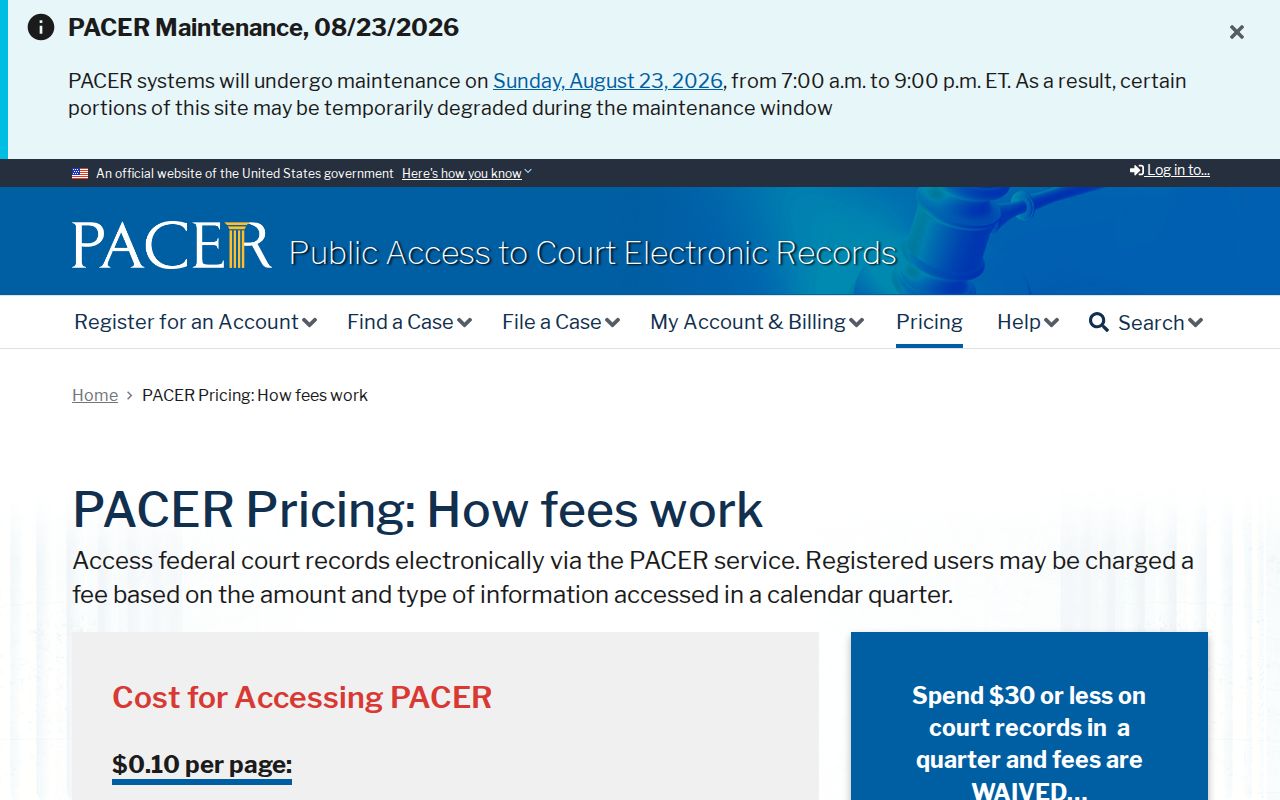
Those are federal electronic-access charges, not Troup County clerk copy or certification fees.
Troup Search Fallback Chain
When the public results grid stays blank, change the channel. Keep the court and case number the same. Start with a call to the right clerk. Then ask whether the office has a public terminal, a counter index, or a record-request process. The combined clerk's e-filing information points to a public access terminal on the first floor of the Government Center. Staff can tell you what it actually covers. Older lower courts may sit outside it, so ask before you assume.
Requesting a copy works the same way. Name the docket sheet, judgment, order, or filed paper you want. Say whether it must be certified or plain. For an older docket, ask about electronic coverage and archive retrieval. If a public portion can be split from protected material, request just that portion. One narrow request is far easier to fill than a demand for everything tied to a common name.
Skip the instant people-search services. They cannot tell you the official status of a Troup County case; only the court can.
Which Cases Stay Restricted
Some material never shows up in an ordinary Troup County case lookup. Juvenile records, sealed cases, protected personal identifiers, family-violence or stalking identifier pages, and sensitive DD214 military-discharge material all sit outside routine public results. Georgia court rules allow sealing through a judicial process and shield specified information, and a clerk may redact a public copy or withhold a restricted part while releasing what the law permits.
Keep two things apart. No online visibility is not the same as sealing. A login gate, a dead link, a missing PDF, or a spelling mismatch is just an access problem. Write down the exact case number and court. Ask whether the matter is sealed or restricted. Request the public docket or public order. If access is denied, ask for the legal basis.
Treat a court docket as civic reference material, never as a background report. Verify any material fact with the court that holds the original file, and do not use docket data for credit, employment, housing, insurance, or any other FCRA-regulated decision.